
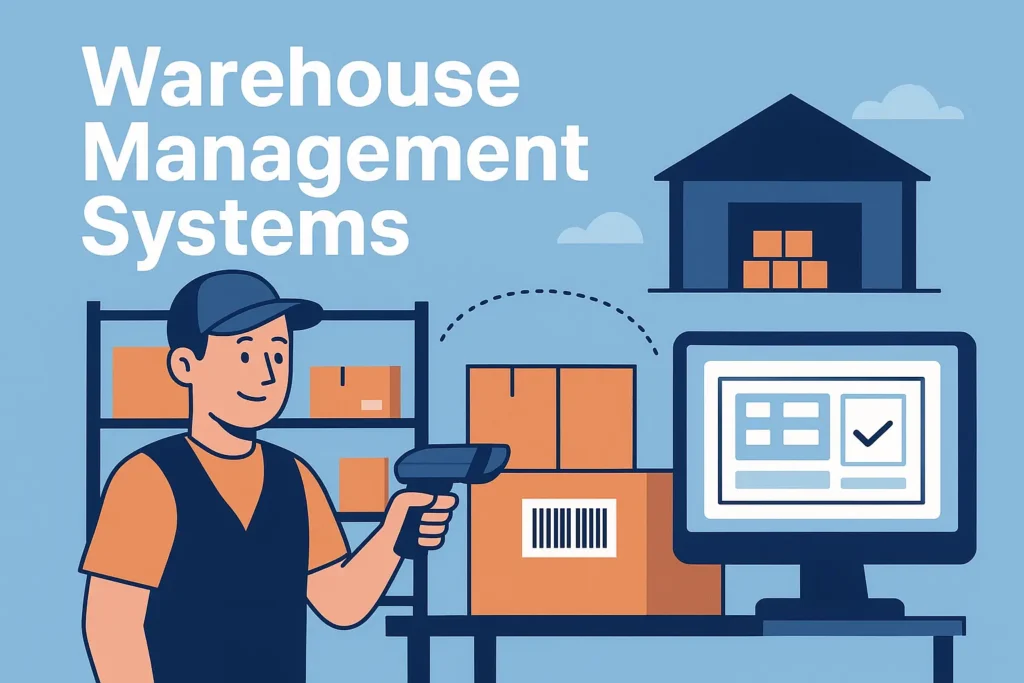
Warehouse Management Systems: A Real-World, Down-to-Earth Solution for Today’s Warehouses
A friendly, conversational explainer on Warehouse Management Systems (WMS), how they work, why they matter, and how they can actually make warehouse life easier.
Let’s Start With This…
If you’ve spent any time around warehouses—real warehouses, not the shiny photos you see in brochures—you already know things can get chaotic fast. One wrong pick, a misplaced pallet, or a delivery truck arriving early (or late… usually late) and suddenly everything feels upside down.
That’s honestly why Warehouse Management Systems (WMS) have become such a game-changer. They’re not just fancy software; they’re more like the reliable coworker who always knows where everything is, even when no one else has a clue.
To be honest, I sometimes wonder how warehouses survived before WMS became mainstream. Must’ve been wild.
Anyway, let’s break this down in a simple, human way.
So, What Exactly Is a Warehouse Management System?
Alright, imagine this:
You walk into your warehouse, and instead of guessing where stock is or flipping through paperwork like it’s the 90s, your system tells you:
- “Hey, that shipment you’re looking for? It’s in aisle C, second bin from the top.”
- “Start picking this order first—it’s urgent.”
- “And by the way, your inventory is running low on that fast-moving SKU.”
That… in a nutshell… is what a WMS does.
It tracks everything—every barcode scanned, every bin used, every order picked. It’s like having Google Maps for your warehouse, minus the annoying “recalculating…” voice.
And in my experience, once a team starts using a WMS, going back to manual methods feels like going back to dial-up internet. Painful.
Why Everyone’s Suddenly Talking About WMS
If you’re wondering why WMS has become such a buzzword lately, here’s the simple truth:
Warehouses aren’t just storage spaces anymore—they’re fulfilment engines.
People expect next-day delivery, real-time tracking, and zero mistakes. No pressure, right?
Here’s what a WMS genuinely helps with:
1. It cuts down on errors (big time)
Nobody likes mis-picks. Customers get annoyed, returns increase, and your team gets frustrated. A WMS guides every step, so errors drop naturally.
2. It speeds up fulfilment
Walking around the warehouse aimlessly? Yeah, that’s gone. The system tells workers the fastest route, like it’s giving directions in a race.
3. Real-time visibility
You always know what’s in stock—even that dusty item sitting in the corner nobody remembers ordering.
4. Better use of space
Ever wish you had a bigger warehouse? A WMS makes your current space feel bigger by organizing it smarter.
5. Scales without chaos
Peak season? Flash sale? Monthly madness?
A WMS won’t fix the weather or the economy, but it will keep your warehouse from melting down.
6. Lower overall costs
Fewer mistakes, fewer labor hours wasted, fewer headaches. Simple.
Features You Actually Need (Not Just Buzzwords)
Let’s quickly walk through what a good WMS usually includes. Nothing too technical, just the stuff that actually makes your life easier.
Receiving & Put-Away
When goods arrive, the system makes sure everything’s checked, recorded, and put away in the right spot. No more “where did that pallet go?” moments.
Inventory Tracking
Every movement is recorded. You know exactly what you have and where it lives.
Smart Picking & Packing
Batch picking, zone picking, wave picking…
Sounds fancy, but really, it just means “pick items faster without walking around like you’re lost.”
Shipping Coordination
Labels printed, carriers chosen, orders verified.
A good WMS makes shipping feel smooth—almost relaxing. Almost.
Labor Management
Great for supervisors who want to see how their team is performing without micromanaging.
Analytics & Reports
Instead of guessing what’s slowing you down, you get clean insights.
(If only life gave us dashboards for everything else too.)
Supports Automation
If you ever add robots or conveyor systems, a modern WMS should play nicely with them.
Cloud vs On-Premises WMS — Which One Makes Sense?
I’ll be honest; there’s no perfect answer. Both have pros and cons.
Cloud WMS
- Easy to set up
- No big upfront investment
- Updates happen automatically
- Scales quickly
This is the “Netflix” version of WMS—pay monthly and you’re good.
On-Prem WMS
- Everything runs on your own servers
- You get more customization
- Better control over sensitive data
This fits larger companies or those with strict requirements.
Personally, I feel like cloud systems work for most businesses today, but hey, everyone’s situation is different.
How WMS Actually Saves You Money (Yes, Really)
Let’s talk ROI for a second. I know ROI discussions can get boring, but stick with me.
A WMS can pay for itself by:
- cutting labor hours
- reducing picking errors
- improving space usage
- boosting overall throughput
- speeding up order cycles
It’s one of those tools where you don’t realize how much waste existed until you eliminate it.
Kind of like when you finally clean your room and think, “Wow, I should’ve done this weeks ago.”
How to Pick the Right Warehouse Management System
Choosing a WMS can be… overwhelming. There are tons of vendors, features, brochures, and everyone claims their software is the best thing since sliced bread.
Here’s a simple checklist to help you think clearly:
Does it match your everyday workflows?
Your warehouse is unique. Make sure the WMS supports how you work.
Will it integrate with your ERP or eCommerce tools?
The last thing you want is a WMS that refuses to talk to your other systems.
Is it easy to train new staff?
High employee turnover is real in logistics—don’t choose software that needs a 2-week training camp.
Does it scale?
Think about next year, not just today.
How good is their support?
You will need help at some point. Good vendors feel like partners, not salesmen.
What’s the total cost—really?
Not just the license. Think hardware, scanners, training, updates, etc.
Tips for a Smooth WMS Implementation
Implementing a WMS isn’t like installing a mobile app. It’s a project.
Here’s how to make it less stressful:
1. Understand your current process
Before changing anything, map out how things currently work. You’d be surprised how many hidden steps you discover.
2. Clean your data
If your SKU data is messy, your WMS will struggle.
3. Train your team early
People fear change. The sooner they see how the system works, the smoother your go-live week will be.
4. Start small
Test with one area or shift before going full scale.
5. Monitor KPIs
For the first few months, keep an eye on picking accuracy, inventory variance, and order cycle time.
Trends Shaping the Future of Warehouse Management
Just in case you like staying ahead of the curve, here are some trends everyone’s talking about:
AI-Powered Optimization
AI helping with slotting and forecasting is becoming pretty standard.
Robotics & Automation
AMRs and automated storage systems are becoming the new normal.
Cloud-Native Systems
Fast, flexible, modular. Most new WMS platforms are going this direction.
Tools that Empower Workers
Mobile devices, wearable scanners, real-time prompts…
Kind of like giving every employee a mini assistant in their pocket.
So, Do You Really Need a WMS?
Honestly? If any of these sound familiar, then yes:
- You can’t keep up with order volume
- Inventory errors are becoming a pattern
- Your warehouse feels chaotic during peak season
- You want to grow without everything falling apart
- You’re interested in automation
A Warehouse Management System (WMS) isn’t just “software”—it’s a smarter way of running your warehouse.
And once you switch, you’ll probably say what everyone else says:
“Why didn’t we do this sooner?”
Related Posts

Agentic AI: Your Logistics Operation’s New Digital Employee
Forget Chatbots. It’s Time for Agentic AI That Actually Gets Things Done. Alright, let’s have a real talk about Agentic […]
Read More →
The AI Revolution in Logistics: How Artificial Intelligence is Reshaping the Global Supply Chain
Introduction: The Dawn of a New Era in Logistics What is the AI Revolution in Logistics? The world of logistics, […]
Read More →
Supply Chain Technology: How the Next Wave of Tools Is Rewiring Logistics
Supply Chain Technology is no longer optional — it’s the backbone of resilient, efficient, and sustainable logistics. This article explores […]
Read More →